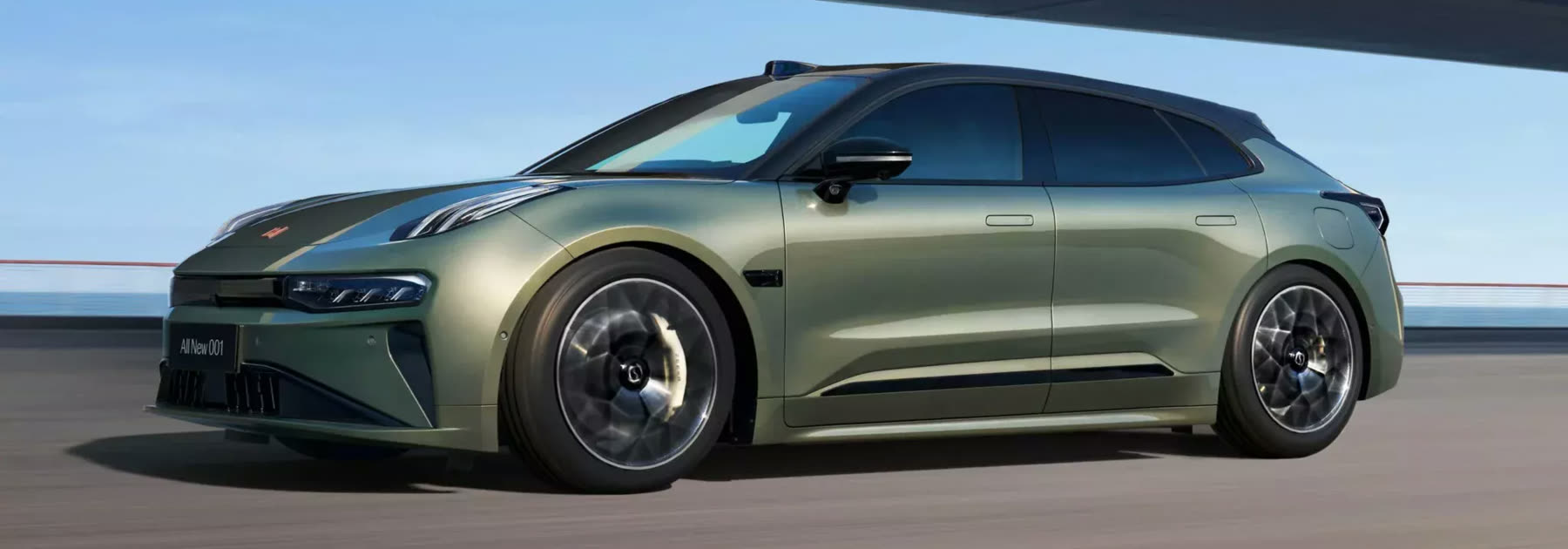
Zeekr 001 — sport
Zeekr 009 — minivan
Zeekr X — crossover
Zeekr 007 — compact
Zeekr MIX — minivan
Zeekr 7X — crossover
Zeekr 9X — SUV

LYNK & CO Diagnostic System + ZDS Diagnostic System
Training is available for purchase
Services in Kyiv only. No online services.
I do not sell ZDS access. I do not sell LYNK & CO access.
What it gives you
You can now update every module without connecting the car to the internet, install the latest DHU version without waiting for an automatic update, open the engineering menu instantly, program keys and cards, read and clear faults, view diagnostic diagrams, and check the part numbers of all modules, among other things.
What you need
- BMW E-NET diagnostic cable
- RJ45 to USB adapter
- A Windows laptop only
- A stable internet connection (NOT mobile)
Services in Kyiv only
- Ukrainian and Russian interface language
- Driver display language
- Rear passenger display language
- Language restored after an update
- Waze navigation instead of the Chinese one
- Correct local time and date on both displays
- App stores
- YouTube, Spotify and Apple Music installation
- Ukrainian carrier SIM installation
- Adding extra Bluetooth keys
- Adding extra NFC cards
- Engineering menu activation
- Voice assistant activation
- Module programming and pairing
- Adaptations and calibration
- Removing charging restrictions
- W-HUD projection setup
- R-SIM setup
- TPMS programming
- Connectivity module recovery
- Firmware updates
Useful to know
How to bring the car back from “space”
After pressing Open Upgrade in the engineering menu the screen may show “Minimum system” over a space background. To bring the car out of this state you need to trigger a system recovery.
Zeekr 001 2022–2023 with the 8155 chip only. Do not try this USB stick on other Zeekr models.
- Download the UpdatePackage archive and extract it onto a prepared USB-A stick formatted as FAT32, no larger than 32 GB.
- A folder named UpdatePackage must appear in the root of the stick.
- Insert the stick into the USB-A port in the armrest — recovery starts immediately.
- When it finishes (about a minute) the system reboots and you are back on the firmware that was installed, with no changes.
During recovery do not move or remove the stick and do not leave the car until the system reboots. Once the desktop appears you can remove the stick. The files work for all firmware versions from 3.x to 5.x.

How to reboot the tablet
001 — press and hold the volume dial for 10 seconds, then, without releasing it, turn it clockwise until the picture disappears.
009 — press and hold the Mute button on the steering wheel.
X — press and hold two steering wheel buttons: the left one on the left side and the right one on the right side (not the joysticks).
Flat battery, car will not open — how to open the bonnet
Zeekr 001, 009. Open the car with the metal key and open the bonnet (001 only): in the wheel arch directly above the front wheel (at 12 o’clock, not to the right at 14) on the driver’s side there is a rubber cover. Pull the cable twice and the bonnet opens. Then charge the 12 V battery or jump-start from a source up to 14 V and 10 A.
Zeekr X, 007. Look at the front of the car: there is a hatch in the left part of the bumper with two wires behind it. Connect the red wire to the positive terminal of the donor 12 V battery and the second wire to the negative. The car unlocks and you can open the bonnet.

More detail on the 007
The car was left charging: the traction battery charged, but the 12 V battery went flat (apparently some electronics run off the 12 V system while charging).
Step one — get into the car. There is a hatch in the bumper under the right headlight with two wires (red and black). Apply 12 V to them — I did this by jump-starting from a combustion car (not running). After connecting, hold the card to the wheel arch and the driver’s door unlocks. The car itself stays discharged.
Step two — un-brick it. Open the bonnet; there is a hatch in the front trunk recess — open it. Inside, in the recess on the right, is the positive terminal of the 12 V system. Negative goes to any exposed metal (a wire to the bonnet hinge). After connecting an external battery (without starting the combustion car) to the Zeekr terminals, disarm the car with the key (the open-padlock button on the remote). The car comes alive. Then drive for about ten minutes to charge the battery.

Can you jump-start it, and where is the 12 V battery
Do not use batteries above 12 V. You may jump-start from a power source up to 14 V and 10 A.
Zeekr 001:
- Open the driver’s door
- Open the bonnet and remove the cover
- Open the cover of the 12 V battery positive terminal
- Connect the red clamp to the positive terminal of the donor battery
- Connect the other end to the positive terminal of your 12 V battery
- Connect the black clamp to the negative terminal of the donor battery
- Connect the other end to the negative terminal of your 12 V battery
- Start the donor car
- In your car press the brake pedal to start it
- Once started, first remove the black clamp from the negative terminal of your 12 V battery, then the red one from the positive


The Bluetooth key does not unlock the car
001 and 009. Hold the Bluetooth key against the driver’s door pillar — the same place you hold the key card. If the car reacts (locks or unlocks), the key battery is the problem.
X. Owners report that holding the Bluetooth key against the door pillar does not work on the X, so the only way to rule out a flat key battery is to replace it.
How to open the key and replace the battery.
001 and 009 — insert the paper clip supplied with the key into the hole and separate the
halves, replace the CR2032 battery (ideally Panasonic).
X — open the key by turning the cover clockwise, replace the CR2450 battery.
When reassembling, follow the arrows on the cover and the body of the key.

Door problems
First calibrate the windows: press and hold the window-down button (do not press too hard — going past the second click turns on auto-close, which is not what we need here), wait until the window is fully down and hold the button for a few more seconds. Repeat the same for raising the window. Your problem may already be solved.
If not, there is another procedure confirmed on the 001: there is a screw on the door lock — turn it, close the door, reboot the system, and the screw will return to place by itself.
One more approach that helped at least one owner whose doors would not open or opened only partly: disconnect the negative terminal of the 12 V battery for about thirty minutes.

Delivery mode
A red “Delivery mode” label at the top of the tablet that you cannot get rid of. The car has a transport mode; sometimes in China they forget to exit it and the car arrives with that intrusive red button.
You can turn it off like this: solder in a local SIM, press the red button and then confirm with the green one. That is it — you have exited the mode.

How to power the car down via the service loop
- Switch off the high-voltage battery power (the “Protection and safety” section, the very last item at the bottom)
- Make sure the car is on a safe surface and the high-voltage system is fully off
- Open the bonnet and wait 5 minutes. Do not open or close the doors during this time
- Remove the cover and disconnect the loop, wait 10 seconds
- Disconnect the main 12 V battery (simply removing the negative terminal is enough)
Reassemble in reverse order: connect the loop first, then the negative battery terminal.


ZDS access is not for sale — only training is.